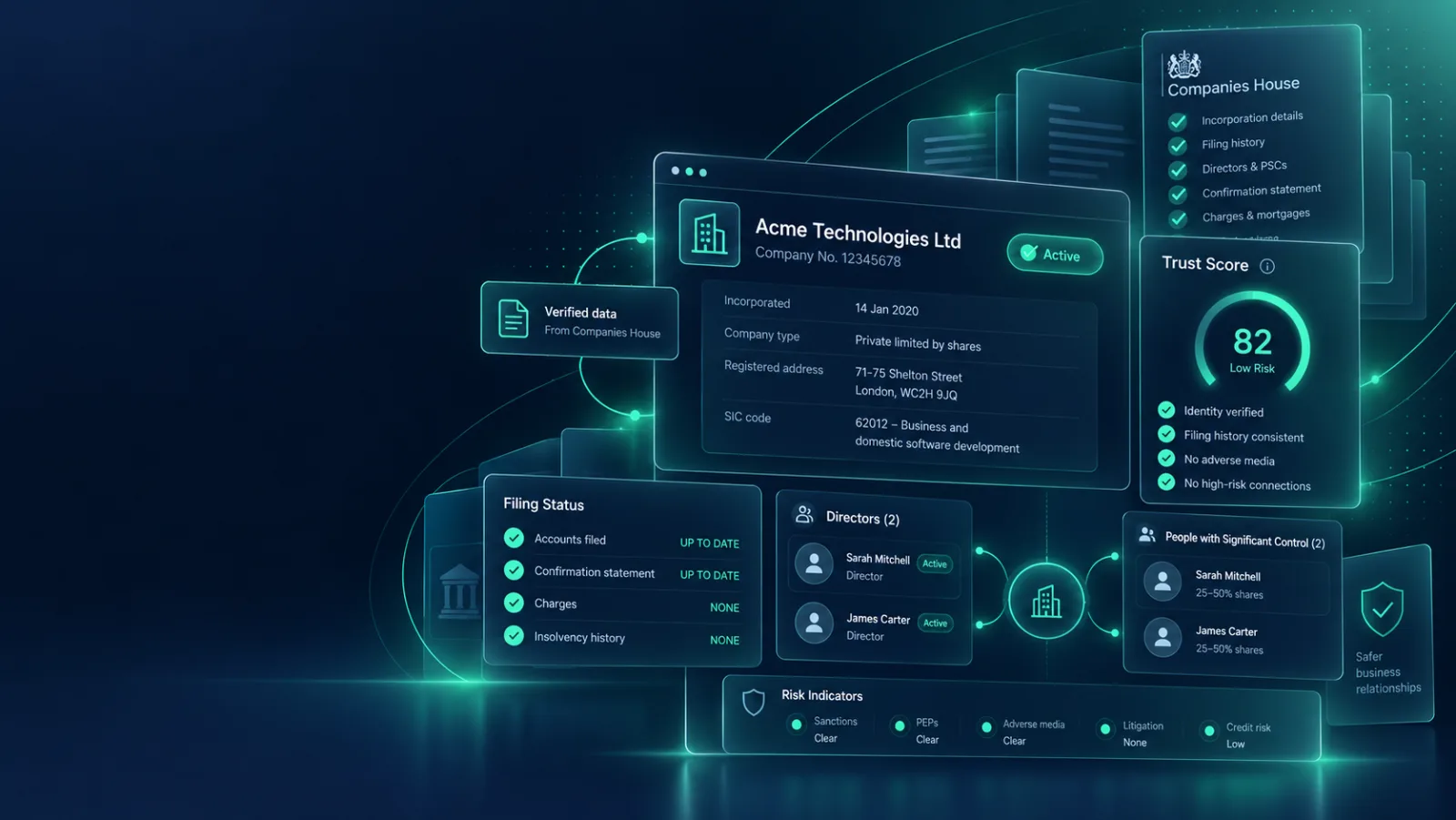
Check a UK company before you rely on it
Search the legal entity, match the person you are dealing with, review filings and control, then save a PDF-ready evidence page.
What the check covers
Company status, registered office, filing health, officers, persons with significant control, charges, recent changes, risk flags and source links from Companies House.
What it cannot prove
It does not verify bank ownership, sanctions, PEPs, adverse media, fraud risk, live trading, affordability, creditworthiness or the identity of the person emailing you.
Read our guide to the checks that come nextUseful official context
Micro-entity accounts are valid statutory filings for very small companies, but usually contain limited public financial detail.
Read the GOV.UK accounts guidanceHow to run a UK company check
This page explains what a company check is, what our free company checker looks at, and how to read the result. It is written for people who need to decide whether to trust a UK company, not for credit analysts.
What is a company check?
A company check is a review of the public record for a UK company. You use it to confirm that the business exists, is still active, files what it should, and is run and controlled by the people you expect. It is a quick way to test a name, address or director before you spend money or share information.
Every UK limited company must be registered at Companies House, and much of what it files is public. A good company check turns that record into a short, readable view, so you do not need to know where to look.
What this free company check shows
Set how you know the business (client, supplier, contractor, introducer or partner), then search by company name or number and choose the right record. The check runs straight away and covers:
- Company status, company type, age and registered office.
- Filing health: whether accounts and the confirmation statement are current, due soon or overdue.
- Active directors.
- Persons with significant control (PSCs) and the nature of their control.
- Recent changes in the filing history over the last 24 months, such as officer changes, registered office moves, name changes, control filings, charges and share-capital filings.
- Outstanding charges, and any strike-off or dissolution wording in the filing history.
- The type and date of the latest filed accounts, with a flag if they give little detail (micro-entity or dormant) or, where the tool can read them, show negative net assets.
- An optional name match: enter the person who contacted you and the tool says whether they appear as an active director or PSC, appear only in past records, or were not found.
- Links back to the Companies House sources, so you can check anything yourself.
The check does not search the FCA Register, and it does not run sanctions, politically exposed person (PEP), adverse media, credit or identity checks.
How to read your result
The report gives one of four ratings. Each one comes with a suggested next step. The rating is a prompt for your own judgement, not a verdict on the company.
| Rating | Suggested next step | What it usually means |
|---|---|---|
| Clear | Proceed with normal checks | No warning flags were raised from the public record. |
| Watch | Request evidence | Something minor, such as a very new company or thin account detail. Ask for supporting evidence. |
| Review | Manual review | A flag that needs a person to look, such as frequent recent changes, a name that was not found, or an overdue filing on its own. |
| High risk | Do not onboard yet | A serious flag, such as a company that is not active, a strike-off signal or no active officers, or an overdue filing together with other flags. |
Under the rating, the tool lists the specific findings behind it. Positive signals, such as an active company with current accounts, are shown too, so you see the whole picture.
The frequent recent changes flag
Companies change directors, addresses and owners for ordinary reasons. A burst of changes in a short time can still be worth a question. The check counts change filings in the last 24 months and judges them against the size of the company, using the accounts type, the number of officers and the company age.
- Three or more name or registered office changes trigger a review flag, whatever the size of the company.
- Four or more control (PSC) filings trigger a review flag.
- Officer appointments or terminations at least equal to the number of current officers, alongside two or more control filings, trigger a review flag. Together they can mean both the board and the ownership changed.
- For a company not shown to be large, five or more relevant filings in total trigger a review flag.
- For a company that is clearly large, the tool is more relaxed about routine board and share-capital filings, and shows them as routine rather than as a warning. It will not treat a company as large unless the accounts type and other evidence support that.
- If the filing history is too long, or Companies House does not return it in full, the count is shown as a minimum with a watch flag, and you are pointed to the full filing history. A missing record is never shown as a clean one.
Company check vs searching Companies House yourself
The Companies House website is the source, and you can always search it directly. It gives you the raw record: separate pages for the overview, filing history, people, control and charges. You then have to read each one and decide what matters.
Our company checker reads the same public data and pulls it into one report. It adds the filing health view, counts and classifies recent changes, matches the person you name, lists the flags and suggests what to ask next. The report links to the Companies House pages it used, so you can confirm each finding at source.
When to run a company check
- Before you take on a new supplier or contractor.
- Before you pay a first invoice, or when payment details change.
- When you onboard a business customer. This is often called know your business (KYB). A company check helps with part of it. Regulated firms need to go further. See our financial crime support for the wider controls.
- Before you sign a lease, or when a landlord is a company.
- Before you agree a partnership, referral or introducer arrangement.
- When an unexpected email or call claims to come from a company you know.
Red flags worth a closer look
These are the main flags the tool raises from the public record:
- The company is not active, or the filing history mentions strike-off or dissolution.
- Accounts or the confirmation statement are overdue.
- No active officers are on the record.
- The person who contacted you was not found, or appears only in past records.
- The company was set up in the last year, or is under three years old.
- The latest accounts are micro-entity or dormant, so they show little financial detail.
- Net assets are negative in the latest accounts the tool could read.
- Outstanding charges are recorded against the company.
- Frequent recent changes, as described above.
These are not on the report, so check them separately:
- Whether the bank details you were given belong to the company.
- Sanctions, PEP and adverse media screening.
- Whether a firm that claims to be regulated is on the FCA Register.
- The identity of the individual you are dealing with.
- Credit standing, if you are about to extend credit.
Our guide on how to check a UK company covers those next steps.
Company check questions
What does the Company Trust Check look at?
It checks Companies House company status, filing health, active directors, persons with significant control, recent changes, charges and selected public account indicators.
Does this prove the company is safe to pay?
No. It is an evidence-led statutory record check. Bank ownership, sanctions, PEPs, adverse media, creditworthiness, identity verification and AML checks still need separate checks where relevant.
Can I save the result as a PDF?
Yes. After running the check, the report is designed as a one-page evidence view and can be printed or saved as a PDF.
Is the company check free?
Yes. You can search for a UK company and run the check at no cost. The report appears on screen straight away.
Do I need to sign up to run a company check?
No. You do not need an account to search for a company and read the report. If you want to save the report as a PDF, the tool asks for your name, work email and firm before it opens the print dialog.
Where does the data come from and how current is it?
The data comes from the public Companies House register. Each check is run live when you select the company, so the report reflects what Companies House holds at that moment. Companies House shows what the company has filed, so a recent change may not appear until it has been filed and processed.
How do I check if a UK company is legitimate?
Start by confirming the company exists, is active and has the registered name and address you were given. Then look at filing health, directors, who controls it and any recent changes. Finally, check bank details, identity and sanctions separately. A company check covers the public record only, so it cannot prove the person you are dealing with is who they say they are.
How do I find out who owns a UK company?
Look at the persons with significant control (PSC) register. The company check lists the active PSCs Companies House holds for the company, with the nature of their control, such as shares or voting rights. Where a company has no PSC on the register, treat that as something to ask about.
Can I check a company's directors?
Yes. The report lists the active directors Companies House holds for the company. You can also enter the name of the person you are dealing with, and the check will tell you whether it matches an active role, only a past role such as a former director, or was not found.
Does the company check show whether a firm is FCA authorised?
No. The check uses Companies House data only and does not search the FCA Register. If the company says it is authorised or regulated by the FCA, check it separately on the FCA Register. Our guide to the FCA Register explains how.